A Windows Voice Typing (Win+H) alternative
Last updated 2026-11-01 · by Venu Gopal Reddy Muvva, founder
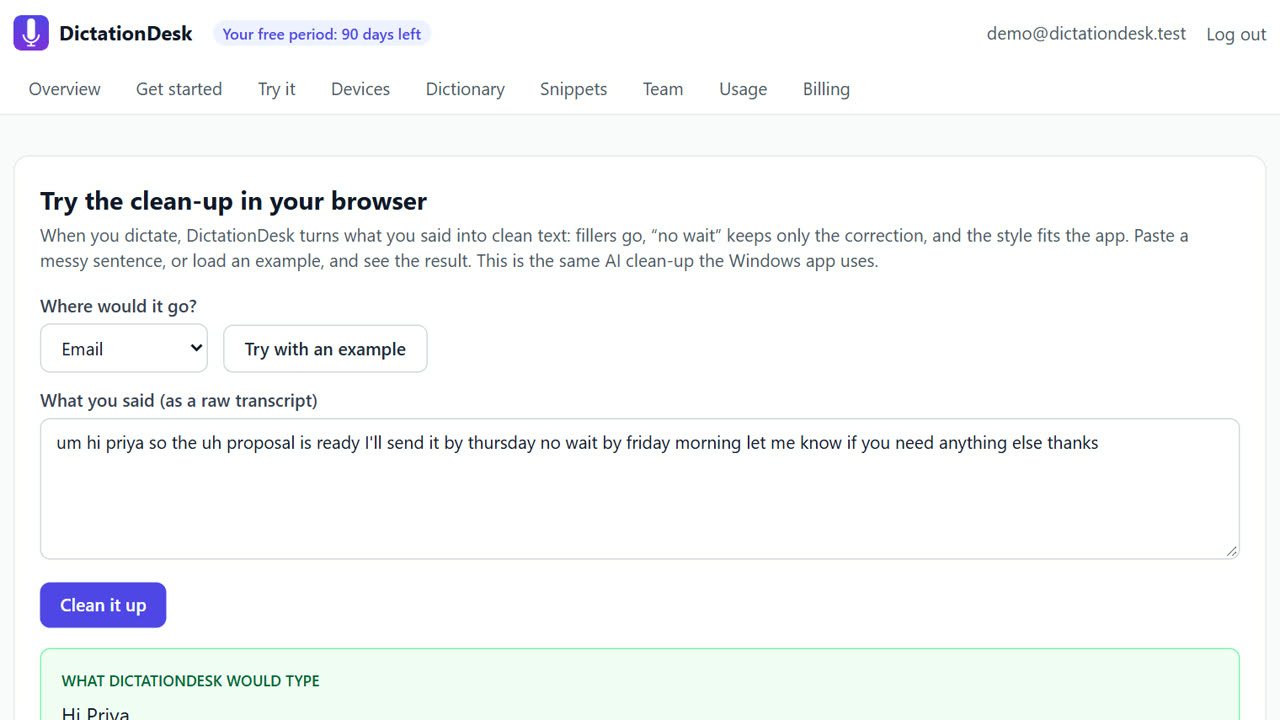
Windows Voice Typing (Win+H) is free and built in, but it types a raw transcript. DictationDesk is a Windows alternative that cleans the text before typing it: fillers removed, “no wait” corrections applied, formatting that fits email, chat or code, your own dictionary and snippets, command mode, and an offline engine.
The problem
Win+H is fine for a sentence or two, but longer dictation needs editing afterwards, it has no custom vocabulary for your names and terms, and it formats everything the same way.
How to do it with DictationDesk
- Create your account. Free, with email or Google.
- Add your words. Put names and jargon in your dictionary; Win+H has no equivalent.
- Connect the Windows app. Paste a device token into the app; it lives in the tray using about 13 MB of memory.
- Hold Ctrl+Win instead of pressing Win+H. Push-to-talk: it listens only while you hold the keys, so it never picks up a conversation by accident.
- Release for clean text. The text is cleaned and typed at your cursor, formatted for the app you are in.
Tips
- Keep Win+H for quick searches; use Ctrl+Win for real writing.
- Command mode edits text you already have, which Win+H cannot do.
- Try the clean-up in your browser before the app is installed.
When DictationDesk is not the right tool
If you dictate only a few words a week, Win+H is free and already on your PC; you do not need DictationDesk. Win+H also supports more languages today, since our Indian-language support is switched off for now.
Questions
Is it free like Win+H?
Free for your first 3 months. After that, cloud dictation costs about ₹2.20 per hour of audio at our cost; offline dictation is ₹0.
Can I keep using Win+H too?
Yes, they don't conflict.
Which Windows versions?
Windows 10 and 11, 64-bit.
Where things stand: the DictationDesk Windows app is in private testing and not downloadable yet. Today you can create your account, set up your dictionary, snippets and team, and try the AI clean-up in your browser. We email you when the app is ready. macOS and phone keyboards are planned, with no date yet.
Price: free for your first 3 months, with everything unlocked. After that you pay only for what you use, at our cost with no markup: about ₹2.20 per hour of cloud audio and ₹0.02 per AI clean-up (our estimates). Offline dictation is ₹0. No card needed to start.
Related: Remove filler words from dictation automatically · Offline speech to text on Windows · DictationDesk vs Wispr Flow · Pricing