Dictate emails in Outlook and Gmail
Last updated 2026-11-01 · by Venu Gopal Reddy Muvva, founder
To dictate emails in Outlook or Gmail on Windows, click into the message body, hold Ctrl+Win, say the email, and let go. DictationDesk types clean text at your cursor: fillers are removed, your corrections are applied, and because it sees you are in an email app it puts the greeting and the sign-off on their own lines.
The problem
Most of a working day goes into email, and most emails are short replies you could say in twenty seconds but take two minutes to type. Built-in voice typing gives you a raw transcript full of “um” and missing commas, so you end up fixing it by hand.
How to do it with DictationDesk
- Set up your account. Create a free account, then add the names you write most (clients, colleagues, products) to your dictionary so they are always spelled right.
- Connect the app. Make a device token under Devices and paste it into the Windows app's Account tab. Your dictionary syncs to that PC.
- Click into the email. Open a reply in Outlook, or a compose window in Gmail in your browser, and click where the text should go.
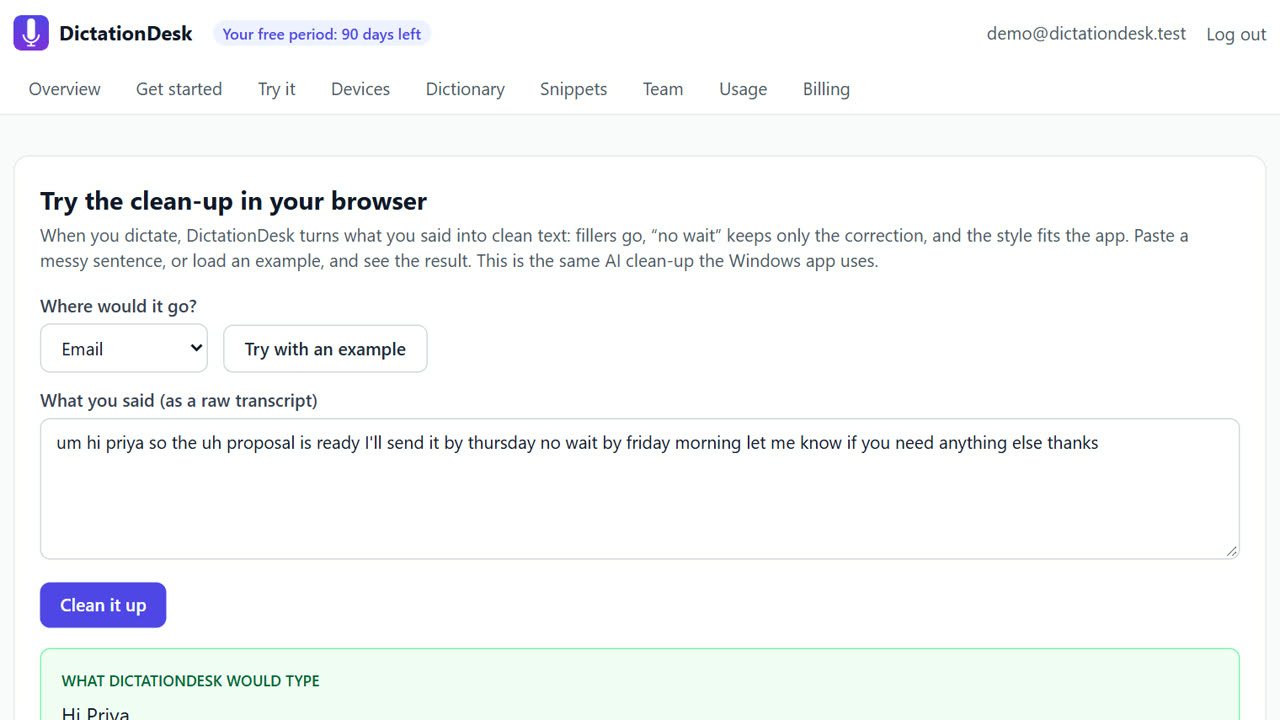
- Hold Ctrl+Win and speak. Say the email the way you would say it to a colleague: “hi priya comma the proposal is ready, I'll send it by thursday, no wait, by friday morning. thanks”.
- Release and check. Let go of the keys. The email appears with “Hi Priya,” on its own line, the correction applied (“by Friday morning”) and “Thanks” as the sign-off.
Tips
- Say “new paragraph” to start a new paragraph; say “comma” or “full stop” when you want exact punctuation.
- Make a snippet for your signature, for example “my signature”, so one phrase types the whole block.
- Use command mode on a draft: select it, hold Ctrl+Win+Alt and say “make this more formal”.
When DictationDesk is not the right tool
DictationDesk is not an email client and does not write emails for you from a one-line prompt; it types what you say, cleaned up. If you want an assistant that drafts replies from your inbox automatically, use an email drafting tool instead. It also works only on Windows today; on a Mac or phone use another dictation app for now.
Questions
Does it work in the Outlook desktop app and in Gmail in Chrome?
Yes. It types into any Windows text box, desktop app or browser tab, at your cursor.
Will it add “Dear” or “Regards” on its own?
No. It puts the greeting and sign-off you say on their own lines; it doesn't invent words.
Can I dictate in Hindi?
Not yet. Indian languages are built but switched off; English works today.
Where things stand: the DictationDesk Windows app is in private testing and not downloadable yet. Today you can create your account, set up your dictionary, snippets and team, and try the AI clean-up in your browser. We email you when the app is ready. macOS and phone keyboards are planned, with no date yet.
Price: free for your first 3 months, with everything unlocked. After that you pay only for what you use, at our cost with no markup: about ₹2.20 per hour of cloud audio and ₹0.02 per AI clean-up (our estimates). Offline dictation is ₹0. No card needed to start.
Related: Voice typing for Slack and Microsoft Teams · Dictate documents and reports in Word · DictationDesk vs Wispr Flow · Pricing